
You can cancel GitHub Copilot yourself in about two minutes from your GitHub billing settings, and nothing in your repositories is touched. Open GitHub, go to Settings, then Copilot (under the Billing & Licensing area is fine too), and select the option to cancel or turn off auto-renew. Your paid features keep running until the end of the period you already paid for, then stop.
2026 made this guide more interesting than it used to be. In April, GitHub paused new sign-ups for its individual paid tiers, tightened usage limits, and, briefly, offered a genuinely good refund deal for anyone who cancelled by May 20. That window is closed now, and the standard no-refund rule is back in force. Here's exactly where things stand.
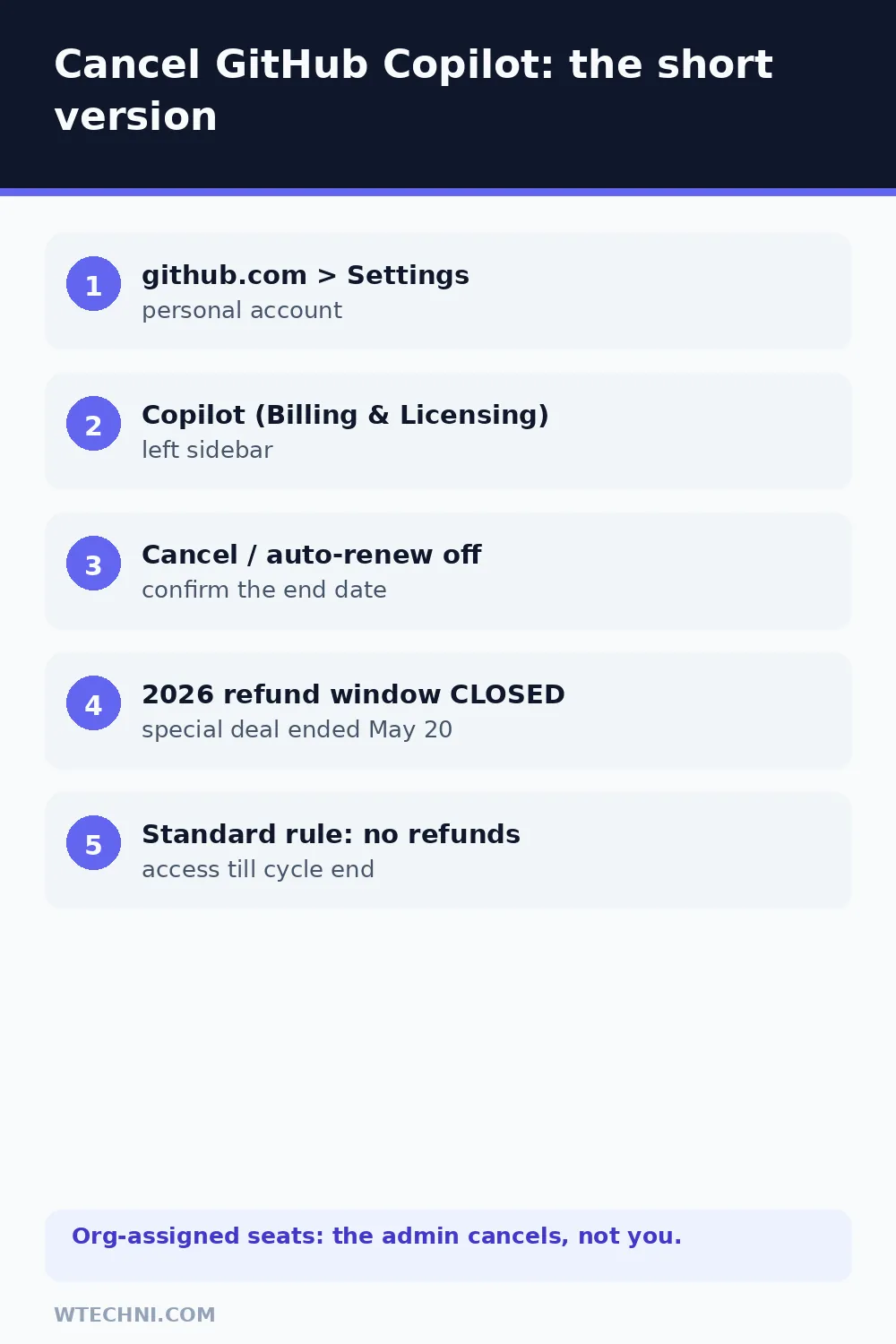
How to cancel GitHub Copilot step by step
GitHub's own documentation describes this path for individual plans:
- Sign in to github.com with your personal account.
- Click your profile photo, then Settings.
- In the left sidebar, find Copilot (under Billing & Licensing).
- Open the plan management area and select Cancel coverage or turn off auto-renewal.
- Confirm the prompts. GitHub shows the date your paid access ends, note it.
That end date is the whole deal: you keep every paid feature until then, and nothing needs a support ticket. If you change your mind before that date, one click re-enables renewal.
The 2026 refund story: what was offered and what applies now
On April 20, 2026, GitHub announced changes to its individual Copilot plans: new sign-ups for Pro and Pro+ were paused, usage limits were tightened, and some models (Opus) were pulled from the Pro tier. Because existing subscribers were getting a changed deal, GitHub offered a matching refund window: cancel your Pro or Pro+ subscription before May 20, 2026, and monthly plans got the entire month's fee back while annual plans got the time remaining refunded.
That window closed on May 20, 2026. Since then, the standard rule from GitHub's billing documentation applies: no refunds for unused time, and access continues to the end of the cycle you paid for. If you're cancelling today, plan around the end date rather than expecting money back.
| Your situation | Realistic expectation |
|---|---|
| Cancel before May 20, 2026 (past) | Special window: monthly fully refunded, annual pro-rated. Now expired. |
| Cancel today, monthly plan | No refund. Access runs to the end of the current month. |
| Cancel today, annual plan | No refund. Access runs to the end of the paid year. |
| Charged after cancelling | Billing error. Contact GitHub Support with the receipt, these get fixed. |
| Seat assigned by an organization | The org admin controls it; you can't cancel it personally. |
Cancelling an organization or enterprise seat
If your Copilot access comes through a company, school, or any organization, the billing relationship belongs to that organization, not to you. Your personal settings will show the seat but won't offer cancellation. Two options: ask the org admin to remove your seat, or if you administer the organization yourself, open the org's Billing & Licensing settings, find Copilot, and manage seats there.
Org admins should also know the timing rule: removing a seat mid-cycle generally stops charges at the next billing date rather than producing credits, so batch your seat removals right after a renewal if you're trimming costs.
Free tier vs paid: what you actually lose
After the paid period ends, most personal accounts land on Copilot Free, which still includes basic completions and a monthly chat allowance, for many hobby users that's enough. What ends with the paid plan is the bigger stuff: premium model selection, the much larger completions and chat limits, and access to the features GitHub added for paid tiers during 2026.
Your code never depended on the subscription. Repositories, history, settings, and extensions stay exactly as they are. The only change is whether the assistant keeps answering the way it did.
Doing a broader coding-tools audit? Our guide to cancelling Cursor covers the Stripe-portal flow, and if your AI stack includes search tools, how to cancel ChatGPT Plus is the other ten-to-twenty-dollar line most developers forget to review.
Frequently asked questions
Can I get a refund when I cancel GitHub Copilot?
Under the standard rule, no, GitHub's documentation says no refunds are issued for unused time, and your access continues until the end of the cycle you paid for. There was a special window: GitHub offered full refunds on monthly plans and time-remaining refunds on annual plans if you cancelled before May 20, 2026, but that window has closed.
How do I cancel Copilot if my plan came with an organization?
If your Copilot seat is assigned by a company or school, you can't cancel it yourself, the organization's admin controls the billing and the seat. Ask your admin, or if you own the organization, manage the seats from the organization's Billing & Licensing settings instead of your personal account.
What happens to my Copilot features after cancelling?
When the paid period ends, your account drops to the free tier if you're eligible for it, and paid-only capabilities stop: premium model access, higher completions, and the bigger chat allowance. Your code, repositories and settings are untouched, Copilot is a service layer, not storage.
Is there a difference between cancelling and turning off auto-renew?
Practically, no, both stop future charges and keep access until the period ends. Auto-renew off is GitHub's wording in the billing UI; cancel is what you click. Either way the end date is the same, and you can reverse the decision before that date arrives.
Can I re-subscribe after cancelling Copilot?
Yes, any time, from the same Copilot settings page. One 2026 wrinkle: GitHub paused new sign-ups for some individual plan tiers in April 2026, so if you cancel a plan that later stays paused, re-subscribing to that exact tier may not be possible, check availability before you cancel if the tier matters to you.