You can cancel a Notion subscription yourself in about two minutes, and the whole thing happens on desktop or web, Notion's own help center is explicit that the flow lives in Settings, then Billing, then Change plan. Cancelling stops all future renewals for the workspace, and you keep paid features until the end of the period you already paid for.
The parts people get wrong are predictable: trying to cancel from the mobile app for a web purchase, assuming cancelling deletes anything (it doesn't), and missing Notion's unusually specific refund windows, 3 days for monthly invoices, 30 days for annual. Here's the full walkthrough, traps included.
How to cancel Notion Plus or Business (web or desktop)
Notion's help center documents this path directly:
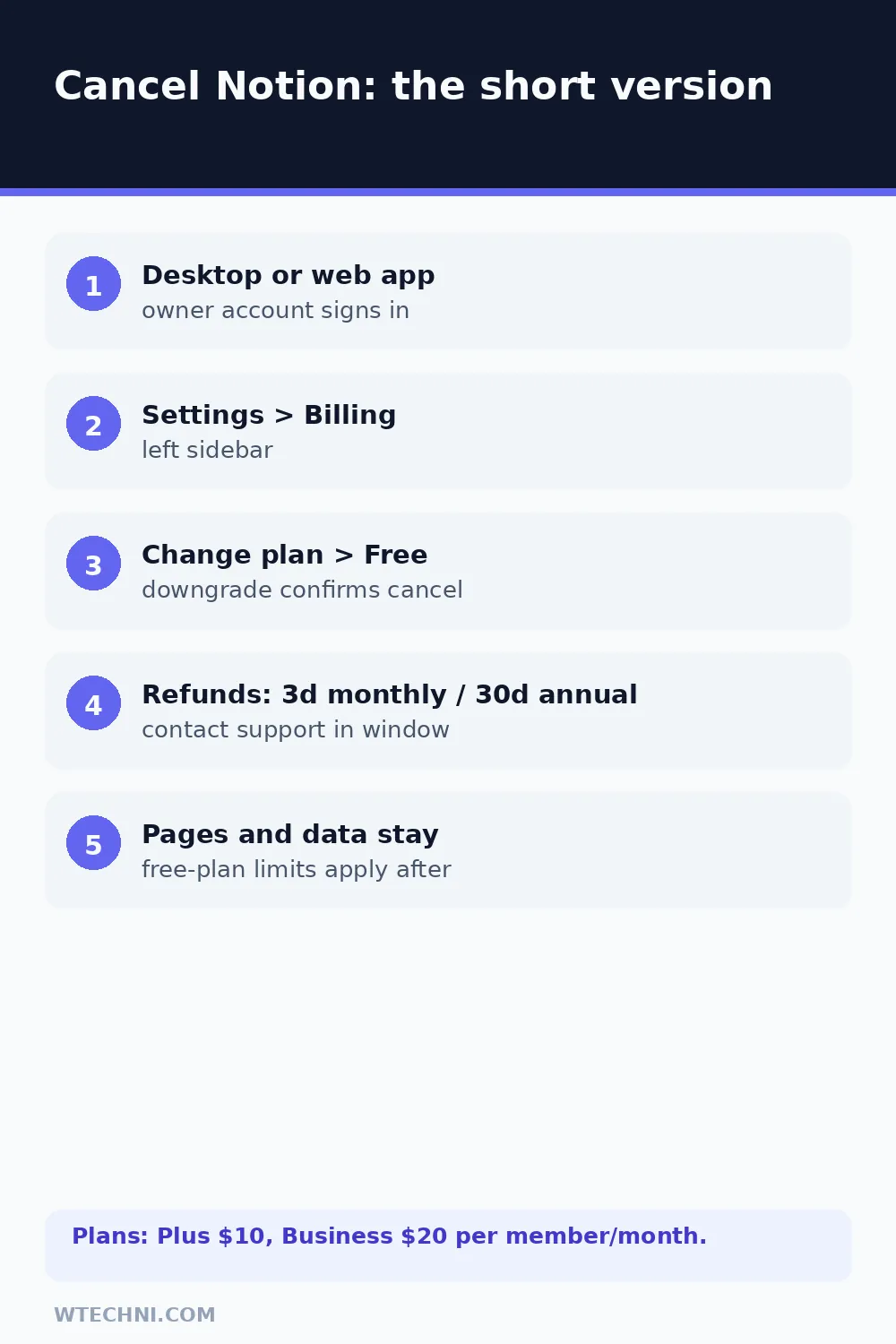
- Open Notion on a desktop or the web app, the cancellation lives in settings that don't exist on mobile for web-billed workspaces.
- Sign in as the workspace owner. Members cannot cancel the workspace plan.
- Select Settings in the left-hand sidebar.
- Open Billing.
- Select Change plan, then choose the downgrade to Free (or an option to cancel).
- Confirm. Notion shows what happens at the end of the period, read it, then finish.
From that moment, renewal stops. The workspace runs with paid features until the end of the current billing period, then drops to the free plan automatically. You'll see the exact drop date in the Billing screen, which is worth screenshotting in case anyone on the team asks.
Notion's refund windows: 3 days and 30 days
Notion's refund policy is more specific than most SaaS, and it works in your favor if you act fast. Their help center states they can generally process a refund if you contact them within 3 days of the invoice date on monthly billing, or within 30 days on annual billing. The catch: you must contact support from the billing email (or the workspace owner's email), and the request is assessed under their policy rather than granted by a button.
| Your situation | Realistic expectation |
|---|---|
| Monthly invoice, contacted within 3 days | Refund generally processed per policy. |
| Annual invoice, contacted within 30 days | Refund generally processed per policy. |
| Signed up by mistake, unused | Ask immediately, this is exactly what the policy window is for. |
| Cancel mid-period, past the window | Access runs to period end; no guaranteed refund. |
| Subscribed through the app stores | Apple or Google decides; request via the store's refund flow. |
When you email support, include the workspace name, the invoice date, and one honest line about the situation. Policy-window requests with receipts are the ones that sail through.
What happens to your workspace after cancelling
Nothing disappears. Pages, databases, and everything the team built remain exactly where they were. What changes is the ceiling: the free plan's limits apply going forward. Block limits kick in for content, guest collaborators get restricted, file upload sizes shrink, version history gets shorter, and extras like custom sites and removed Notion branding roll back.
Two things deserve a heads-up in bigger teams. First, API connections and integrations that depend on paid features can misbehave after the downgrade, so warn whoever maintains them. Second, if you were using Business features like private teamspaces or SSO, access to those stops with the downgrade, export anything locked behind them while you still have the higher tier.
Cancelling a mobile (store-billed) subscription
If you bought the plan through the iOS or Android app, the stores hold the billing, and Notion's settings won't show the cancel control for it.
iPhone or iPad: open Settings, tap your name, tap Subscriptions, select Notion, and cancel there. Android: open the Google Play Store, tap your profile icon, go to Payments & subscriptions, then Subscriptions, and cancel Notion.
Deleting the Notion app cancels nothing, and neither does deleting pages. Store subscriptions renew until the store says stop.
Downgrade to Plus instead of cancelling
If Business's US$20 per member is the sore spot, Plus at US$10 keeps unlimited collaborative blocks and file uploads while dropping the Business-only extras. The change applies at the end of the current period, so nobody loses a day they paid for. For most small teams, Plus covers everything they actually use, Business's teamspaces and SSO are the features you'd genuinely miss.
While you're doing a subscription audit, cancelling Cursor uses a Stripe portal instead of in-app settings, and Jasper's cancellation has a 7-day email refund rule that surprises people. Both take minutes to handle.
Frequently asked questions
Can I get a refund from Notion?
Sometimes, and the windows are specific. Notion's refund policy says they can generally process a refund if you contact them within 3 days of the invoice date for monthly billing, or within 30 days for annual billing. Contact support from the billing email, and remember the workspace owner is the one whose request counts.
What happens to my pages and data when I cancel?
Nothing is deleted. When the paid period ends, the workspace drops to the free plan and everything you built stays. What changes are the limits: free-plan block limits apply to older pages, guests get restricted, version history shrinks, and features like custom sites and unlimited file uploads roll back.
How do I cancel Notion on my phone?
If you subscribed through the iOS or Android app, cancel in the store: iPhone Settings, tap your name, Subscriptions, then Notion; on Android, use Google Play's Subscriptions screen. If you subscribed on the web, cancel in Notion's desktop or web settings instead, the store has no record of web purchases.
Does every member need to cancel, or just the admin?
Just the workspace owner. A Notion plan covers the whole workspace, so one cancellation by the owner ends billing for everyone at the end of the period. Members can't cancel the plan themselves, they'd only be downgrading their own presence or leaving the workspace.
Can I switch from Business to Plus instead of cancelling?
Yes. In the same Billing area, choose Change plan and pick Plus or Free. The change applies at the end of the current billing period, so you keep Business features until then. This is the move to make if the issue is one feature set rather than the subscription itself.