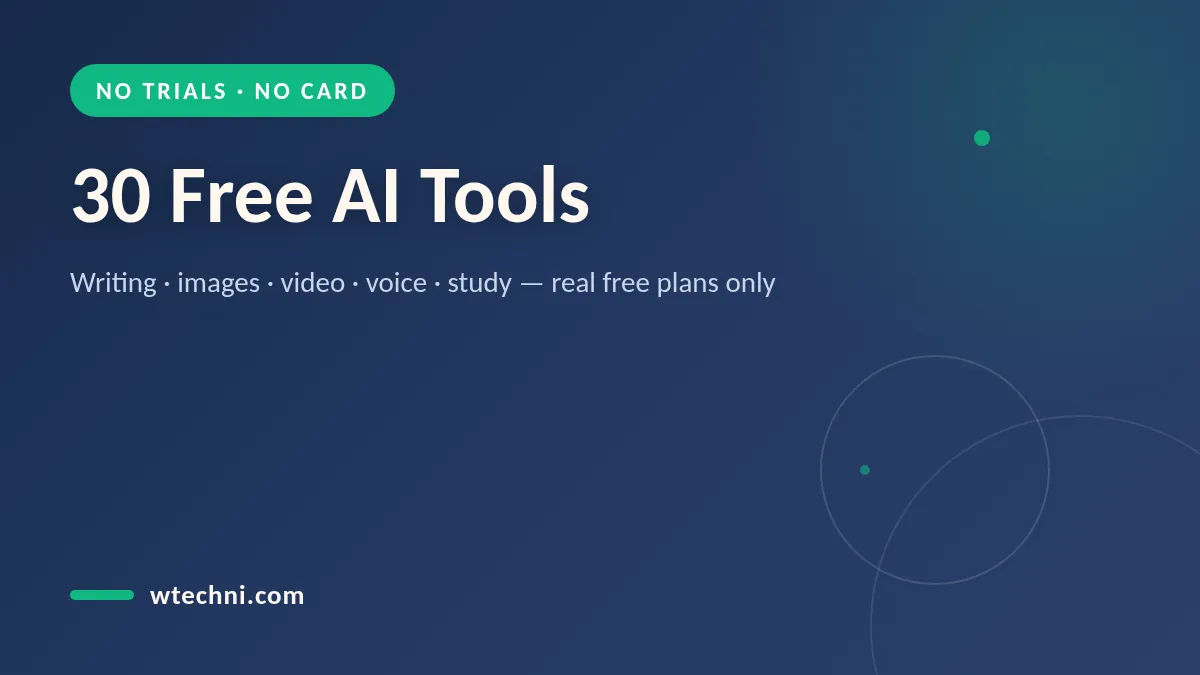
Quick answer: The best free AI tools in 2026 are ChatGPT (best all-round free chatbot), Google Gemini (best if you live in Gmail and Docs), Canva (best free AI design suite), NotebookLM (best free study and research helper) and CapCut (best free AI video editor). Every one of them has a real free plan you can use month after month - not a 7-day trial that quietly starts billing you.
Most tools that advertise a free plan turn out to be trials with a credit-card field on the signup page. That is not what this list is. Every tool below has a free tier you can use indefinitely without entering payment details. Some cap your daily or monthly usage, which is fair - we simply skipped anything that locks up after a week.
This guide is part of our master ranking of the best AI tools, where we test paid and free versions side by side. If a paid upgrade ever makes sense, our Black Friday SaaS deals tracker collects the real discounts instead of you paying full price in December.
Here are the top five at a glance, with what the free plan actually includes:
| Tool | Best free for | What the free plan really gives you |
|---|---|---|
| ChatGPT | Everyday questions, writing, brainstorming | Limited use of the top model, plus search and voice, with caps that reset |
| Google Gemini | Help inside Gmail, Docs and search | A free tier with generous daily limits across Google apps |
| Canva | Designs, social posts, AI images | Free design plan with a monthly batch of AI credits |
| NotebookLM | Summarizing your own notes and sources | Free with generous limits on notebooks and sources |
| CapCut | Short-form video editing | Most editing features free, some effects and exports paid |
How we decided what counts as truly free
Our rule is simple: a tool qualifies if you can sign up without a credit card, keep using it after 30 days, and repeat the core task every month without paying. We then ran the same tasks through each tool - a summarize job, a writing job, an image or audio job - and noted where the free tier actually stops. The limits below are the ones you hit in normal weekly use, so treat them as realistic, not theoretical maximums.
The 30 free AI tools, grouped by what you need
Free AI chatbots and search
- ChatGPT - Still the default free AI for most people. The free plan at ChatGPT gives you limited use of the current top model, web search, file uploads and voice, with caps that reset every few hours. When you need to squeeze more out of it without paying, our guide on how to use ChatGPT for free walks through the tricks that matter.
- Google Gemini - Free in its own app and woven into Gmail, Docs and search. The free tier handles most everyday requests; the more advanced model is metered. Best reason to pick it: your context - emails, documents, spreadsheets - is already in Google.
- Claude - Anthropic's chatbot has a free tier with a daily message cap. It is our pick for long documents and careful, natural writing, and the cap is high enough for a solid work session.
- Microsoft Copilot - Free in Windows, Edge and Bing. It rides on OpenAI models, can generate images, and is the easiest option if you are already signed into a Microsoft account on a new PC.
- Perplexity - A free research assistant that answers with cited sources. Quick searches are unlimited in practice; the more thorough Pro searches are limited per day, which is the only real constraint.
Free AI writing tools
- Grammarly - The free plan covers grammar, spelling, punctuation and basic tone suggestions across the web and in Google Docs. It is not the full premium rewrite engine, but it catches the mistakes that cost you credibility.
- QuillBot - The free paraphraser caps each rewrite at around 125 words, which is enough for paragraphs, plus a free grammar checker and summarizer. Enough to fix clunky sentences without a subscription.
- DeepL Write - Free rewrites for individual paragraphs in several languages, with noticeably good results for non-native English writers. Paste, improve, copy back out.
- Rytr - An AI writing assistant with a free monthly character allowance - enough for social captions and short emails. Templates cover the usual formats without any card on file.
- Google Docs with Gemini - The Help me write features have a free tier inside Docs and Gmail, metered per day. Handy for drafting replies and rewriting paragraphs where you already write.
Free AI image generators
- Canva Magic Media - Canva's free plan includes a monthly allowance of AI image generations inside the full design editor, which is more useful than a standalone generator for most people. For deeper comparisons, see our guide to the best free AI image generators.
- Google ImageFX - Google's image generator is free to use in supported regions, with prompt-based edits and clean, realistic output. Daily caps apply, and some topics are blocked.
- Ideogram - Known for rendering readable text inside images, which most generators still fumble. The free plan includes a daily batch of generations at standard quality.
- Adobe Firefly - Free monthly generative credits in the Firefly web app, trained on licensed content so results are safer for commercial use than most rivals.
- Leonardo - A generous daily token allowance on the free plan, with style controls and upscaling. Good for game art and illustrations when you want more control than a plain prompt box.
Free AI video and audio tools
- CapCut - The free editor includes auto-captions, background removal and a stack of templates for short-form video. Some effects and higher exports sit behind Pro, but the core editing is free.
- Clipchamp - Microsoft's free video editor, built into Windows and the browser, with 1080p exports on the free plan. AI help covers captions and basic cleanup rather than full generation.
- ElevenLabs - The most realistic text-to-speech we have tested, and ElevenLabs keeps a free tier of roughly ten minutes of audio per month. Enough for intros, demos and short narrations.
- Suno - Generates full songs from a text description, with free daily credits for non-commercial use. Surprisingly usable for intros, jingles and study playlists.
- Adobe Podcast Enhance - Free speech cleanup that makes phone or laptop recordings sound studio-grade. A daily limit applies, and there is no real substitute at this quality for free.
- LALAL.AI - Splits vocals from instrumentals with a free preview allowance - a few minutes of processing before you would need to pay. Ideal for pulling a clean voice track out of a raw recording.
Free AI study and research tools
- NotebookLM - Google's research notebook is free and genuinely generous: upload sources, ask questions grounded only in them, and generate study guides or podcast-style audio overviews. Students should start here.
- Elicit - A research assistant that finds and summarizes academic papers, with a free monthly allowance for searches and extractions. Strong for literature reviews.
- SciSpace - Explains dense papers in plain English, with a free tier for reading and questioning PDFs. The paid plan mainly adds volume, not better answers.
- Wolfram Alpha - Free answers for math, science and factual queries; step-by-step solutions sit behind Pro. For checking homework answers it remains the most reliable free option.
Free AI productivity tools
- Notion - The free personal plan is already a complete workspace, and Notion now includes a small monthly allowance of AI responses to try, covering summaries, rewrites and drafting inside your notes.
- Otter - Free transcription with roughly 300 minutes per month and a 30-minute cap per conversation, plus AI summaries of each meeting. The go-to free option for class recordings and calls.
- Fathom - A free meeting recorder that joins Zoom, Meet and Teams calls, transcribes them and produces AI summaries on a generous personal plan. One of the few free tools that feels like a paid one.
- Zapier - Free automation with a monthly task allowance, enough to connect AI tools to your email or spreadsheets in simple two-step workflows. Watch the task count, not the clock.
- Microsoft Designer - Free AI image and graphic design from a text prompt, with daily boosts for faster generations. An easy bridge between raw AI images and share-ready social posts.
Five rules to spot a fake-free AI tool
- The credit-card test. If a signup page asks for payment details for something called free, it is a trial. Real free plans never need a card.
- Watch for the countdown. Wording like 7 days free or cancel anytime means the clock is running. A true free tier has no end date in the copy.
- Check whether credits refresh. Monthly or daily allowances that reset are sustainable. A one-time credit pile that never renews is a demo, not a plan.
- Look for export locks. Watermarks, resolution caps or disabled downloads on free output tell you the free tier is marketing, not a product.
- Read the pricing table, not the headline. A genuine free plan has its own column on the pricing page with named limits. If the column is missing or vague, assume the free tier is bait.
The Bottom Line
Free AI tools in 2026 are genuinely usable, not teaser products. A student or solo worker can run ChatGPT, NotebookLM, Canva and CapCut entirely on free tiers and cover writing, study, design and video without spending anything. Paid plans buy headroom - more volume, faster models, cleaner exports - not basic capability.
Start with the five tools in the table, add the specialists that match your week, and apply the five rules before you sign up for anything new. If you later outgrow a free tier, do not pay full price on impulse: check our Black Friday SaaS deals tracker first, and read our honest take on is ChatGPT Plus worth it before you upgrade anything. And when a subscription stops earning its keep, our cancel-guides library walks you out the door without the runaround.