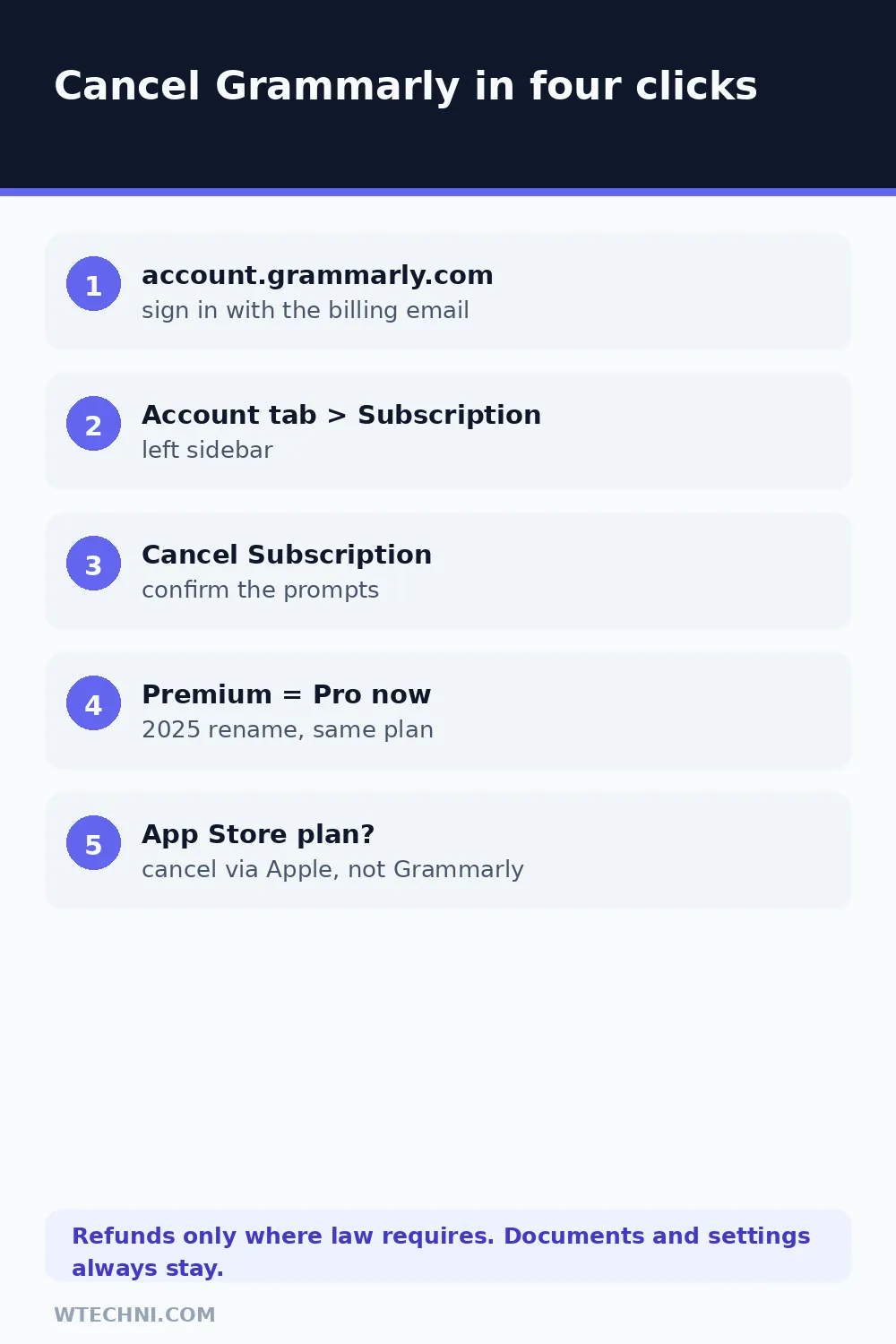
Cancelling Grammarly takes four clicks once you're logged in: open account.grammarly.com, click the Account tab, choose Subscription, and hit Cancel. Your paid features keep running until the end of the term you paid for, then the account settles back onto the free plan.
Two things make this more confusing than it should be. Grammarly renamed its paid tier, so people searching for "cancel Grammarly Premium" land on screens that only say Pro. And the refund policy is stricter than most subscription services, which matters if you were charged yesterday and want the money back today. Both are covered below.
First: Premium is Pro now
In 2025 Grammarly merged its Premium and Business plans into one tier called Grammarly Pro, and the old names quietly disappeared from its pricing pages. Support docs updated around the same time, though plenty of older guides (and muscle memory) still say Premium. If your receipt says Premium and the website says Pro, nothing is wrong: it's the same subscription, rebranded. The cancellation steps are identical either way.
Worth knowing in passing: Grammarly now operates alongside Superhuman, which it acquired, and Grammarly's own terms route customer-care contact through care@superhuman.com. If you email support about a billing issue and get a reply from a Superhuman-branded address, that's the actual Grammarly team, not a phishing attempt.
Cancel Grammarly in four steps
This is the path from Grammarly's official support article:
- Sign in at account.grammarly.com.
- Click the Account tab in the left sidebar.
- Select Your account, then Subscription.
- Click Cancel Subscription (or Cancel) and follow the prompts to confirm.
After confirming, the Subscription page should show the plan as cancelled with the date paid features end. Grammarly also sends a confirmation email; if it doesn't arrive within a few minutes, go back and check whether the cancellation actually completed before assuming it did.
Cancelling from a phone
The Grammarly mobile apps don't manage the subscription, which surprises people. Grammarly's support page tells mobile users to visit account.grammarly.com in a browser and cancel there, exactly as on desktop.
The exception is an App Store purchase. If your receipt comes from Apple, the subscription belongs to Apple, so open iPhone Settings, tap your name, open Subscriptions, select Grammarly, and cancel there. Google Play purchases work the same way inside the Play Store's subscription list.
Cancelling through Apple or Google instead
Store purchases cancel in the store, always. For iPhone: open Settings, tap your name, tap Subscriptions, choose Grammarly, and select Cancel Subscription. The same list is reachable from the App Store app under your profile. Refunds for Apple purchases also run through Apple, at reportaproblem.apple.com, and Apple's decisions there are usually instant.
On Android, open the Play Store, tap your profile icon, then Payments & subscriptions, then Subscriptions. Find Grammarly, tap it, and cancel. If it isn't listed, you're signed into a different Google account than the one that bought it, which is more common than you'd think on shared or second-hand devices.
The fast way to tell where your subscription lives is the receipt email. Apple receipts say "Apple.com/bill," Google's come from Google Play, and Grammarly itself bills the rest. Each receipt also names the exact plan and renewal date, which settles any Premium-versus-Pro confusion at a glance.
Timing your cancellation so it doesn't cost extra
Grammarly bills three ways: about US$144 a year, US$30 per month, or US$60 per quarter. The monthly rate exists for people who need the tool for one project; at two and a half times the annual rate, it's expensive insurance against commitment. If you cancel a monthly plan mid-cycle, you lose nothing by waiting until the last week, since paid features run to the end either way.
Annual subscribers have the opposite calculus. Cancelling right after a renewal wastes a full year of access; cancelling a month before renewal wastes nothing. Look up your renewal date on the Subscription page first, then choose the moment. And if you were charged for a renewal you didn't want, that's the one situation where asking support for a goodwill refund actually has decent odds, especially within a few days of the charge.
The refund policy, stated honestly
Grammarly's refund page doesn't dance around it: you can cancel anytime, but refunds are issued only where required by law. There is no 30-day guarantee, no easy button, and no promise of your money back for change of mind. What that leaves you with:
| Where you stand | What typically happens |
|---|---|
| EU or UK consumer, cancelled within 14 days of purchase | Statutory distance-selling withdrawal rights apply. Cite them explicitly when you contact support. |
| Accidental double charge or renewal right after a failed cancel | A billing error, not a policy refund. Users report support fixing these quickly when sent receipts. |
| Purchased through the App Store | Apple's rules apply. Request the refund at reportaproblem.apple.com; Grammarly can't issue it. |
| Used the service for months and want out mid-term | No refund expected. Cancel and let the term run out. |
People do report goodwill refunds for accidental renewals by asking politely and fast through the support chat on Grammarly's site, so it costs nothing to ask. Just don't build plans around it, because the written policy gives you no entitlement.
What you keep after the downgrade
Nothing gets deleted. Documents, the personal dictionary, tone settings, and account history all stay put. When the paid term ends you're on Grammarly Free, which still catches basic grammar and spelling mistakes and includes a monthly batch of AI prompts, just not the full rewriting toolkit, plagiarism checks, or the tone adjustments Pro adds.
If you're cancelling because US$144 a year stopped making sense for how much you write, the free tier honestly covers casual email duty. If you were using Pro mostly as an AI assistant, compare what you're paying against the tools you already have: ChatGPT's free tier handles rewrites too, and our guide to cancelling ChatGPT Plus covers its more generous refund windows if you're trimming that one as well.
One more trap: the second subscription
Grammarly's troubleshooting overlaps with every other subscription service: multiple accounts. A Premium plan bought with a work email and a free plan made later with a personal one is the classic setup, and cancelling the wrong one feels like the cancel button is broken. Search your inbox for old Grammarly receipts before you start, confirm which address they go to, and cancel inside that account.
And if this is part of a broader cleanup, NordVPN and Grammarly make an odd pair, but they're both annual renewals people forget. Our guide to cancelling NordVPN with its 30-day money-back guarantee is the friendlier of the two if you're inside the first month there.
Frequently asked questions
Can I get a refund when I cancel Grammarly?
Usually not. Grammarly's own refund page says subscriptions can be cancelled anytime, but refunds are issued only where required by law. In practice, EU and UK consumers have statutory 14-day withdrawal rights, and users report occasional goodwill refunds for accidental renewals via support chat. App Store purchases must go through Apple's refund process instead.
Will I lose my documents if I cancel Grammarly Premium?
No. Your documents, personal dictionary, and account settings remain in your Grammarly account. When the paid period ends you simply drop to the free plan, which keeps basic grammar and spelling suggestions plus a monthly allowance of AI prompts.
How do I cancel Grammarly on my phone?
Open account.grammarly.com in a mobile browser, sign in, and cancel from the Subscription page, because the mobile app doesn't manage subscriptions. If you bought Grammarly through the App Store, cancel from your iPhone's Settings under Subscriptions instead.
What is the difference between Grammarly Premium and Pro?
There isn't one anymore. Grammarly folded Premium and its old Business tier into a single paid plan called Grammarly Pro in 2025. If the cancel screens say Pro where you expected Premium, it's the same subscription under the new name.
How do I stop Grammarly from renewing without cancelling now?
You can't split those actions: cancelling is how you stop the renewal, and it does exactly that without ending your current term. If you want the service to lapse naturally, cancel today and keep using Premium features until the period you paid for runs out.