Yes, you can cancel Adobe without paying the early termination fee, in three different ways, and one of them works at any point in your contract. The fee itself is real and stings: cancel an annual plan billed monthly after day 14, and Adobe charges you half of everything still owed. The trick is knowing which exit matches your situation before you click anything.
Adobe's own cancel flow does not make this obvious. It shows you the fee near the end, after you've clicked through several screens, and the discount offers it waves at you along the way are designed to keep you subscribed. Here's what the terms actually say and how people get out clean.
What the cancellation fee actually costs you
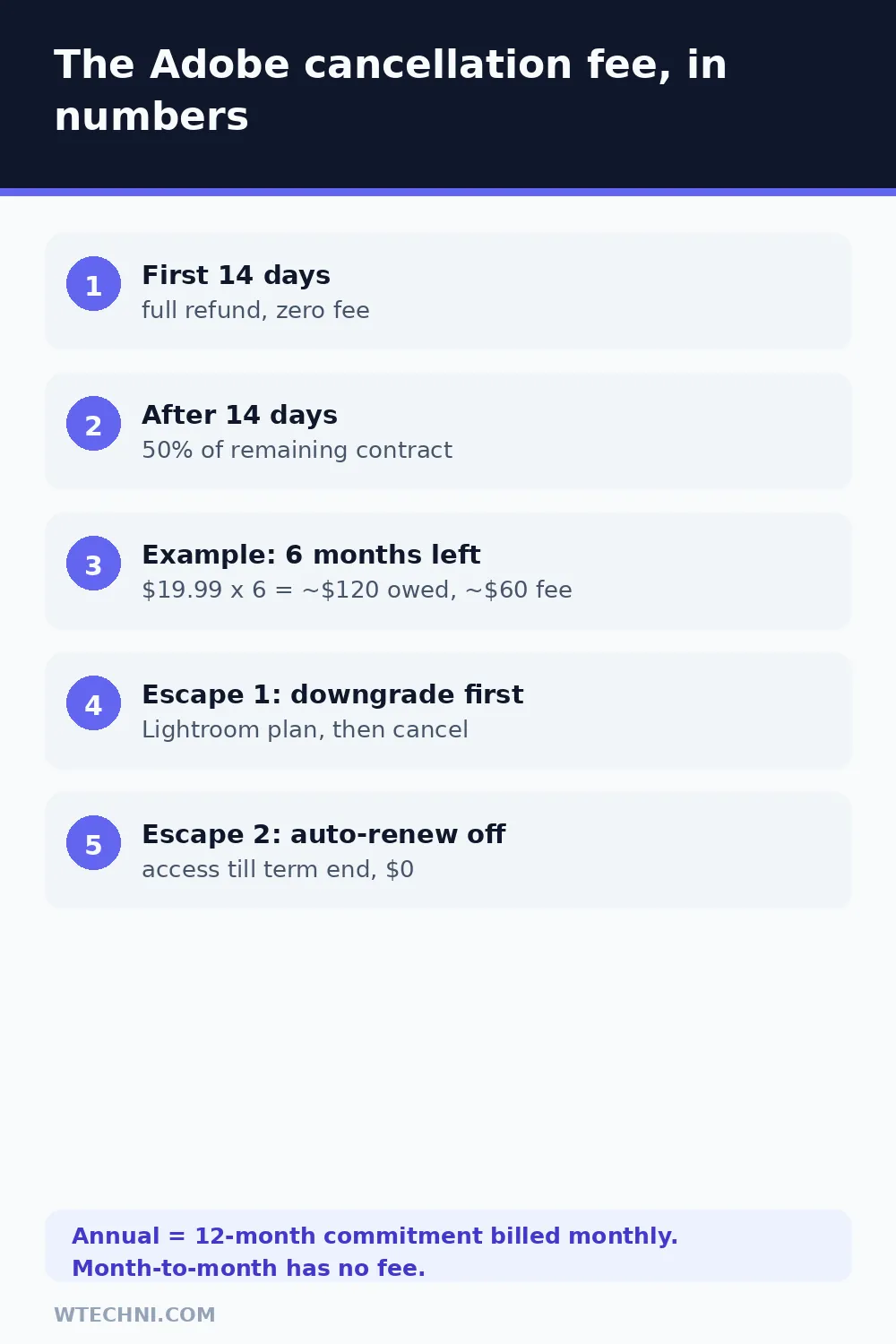
The fee is a percentage, not a flat number, which is why people report wildly different amounts. Adobe takes 50% of the months still remaining on your annual commitment.
Worked example, using current Adobe pricing: you bought the Photography plan at US$19.99 a month on an annual contract, used it for six months, and now want out. Six months remain at US$19.99, so your remaining obligation is US$119.94. Adobe's cancellation screen will show a fee of roughly US$60 to end it today. On a bigger plan the number climbs fast; Photoshop single-app at US$22.99 a month with eight months left computes to about US$92.
That's the whole formula. Whatever the cancel screen quotes you, you can sanity-check it with this math in about ten seconds, and you should, because billing systems have been known to be wrong.
The 14-day window: a full refund, no fee
Cancel within 14 days of your initial purchase and Adobe refunds everything. This is written into Adobe's cancellation terms and repeated on its help pages, so if you just bought the thing and buyer's remorse hit, stop reading and go cancel right now.
One catch worth knowing: the window attaches to your initial purchase. It doesn't reset when your plan renews for another year, and it doesn't apply again if you cancel, resubscribe, and cancel again a few months later. First purchase only.
Cancel Adobe the normal way
The standard path, from Adobe's own support documentation:
- Sign in to your account at account.adobe.com.
- In the Plans and payment section, select Manage plan on the plan you want to drop.
- Select Cancel your plan.
- Check the plan details, then select Continue to cancel.
- Pick a reason, then Continue.
- Review the cancellation summary (this is where the fee appears, if one applies), then Confirm cancellation.
Two friction points to expect. First, Adobe will offer you discounts or a plan switch at every step; these pause your cancellation but don't stop it, so decline if you're sure. Second, if Adobe is currently processing a payment, the system blocks cancellation for up to 24 hours. That's documented behavior, not a bug, so wait a day and retry rather than panicking.
Three ways to pay nothing (or almost nothing)
1. Cancel inside the first 14 days
Covered above. Full refund, zero fee, done. If your purchase was recent, this is your exit.
2. Downgrade first, then cancel
This is the move that circulates on Reddit and developer forums, and it holds up because the fee is a percentage of your remaining balance. Switch your subscription to Adobe's cheapest plan, and the balance the fee is calculated from collapses with it.
Here's the sequence. Start the cancellation on your current plan, but when Adobe offers alternatives, accept the switch to a cheaper plan instead of confirming. Lightroom's own plan starts at US$11.99 a month as of October 2026, and the Photography plan (Photoshop plus Lightroom) runs US$19.99. Accepting a switch starts a fresh annual commitment at that lower price. Then immediately start the cancellation again on the new plan. The termination fee is now 50% of a much smaller number, and depending on timing it can come out near zero.
Honest caveats: you're starting a new 12-month term for a few minutes, so complete the second cancellation the same day; and if you actually want the cheaper plan for a while, this trick isn't needed, because the switch itself is often the cheapest path forward. Either way, screenshot the final confirmation.
3. Turn off auto-renewal instead of cancelling
The calmest option, and the one Adobe prefers you choose. Turn off auto-renewal from your plan's management page, and nothing gets charged again. Your apps keep working until the end of the term you already paid for, then lapse on their own. No fee, no emails, no countdown. If you can tolerate a few more months of access you're not using, this costs you exactly nothing.
| Your situation | Best exit | Cost |
|---|---|---|
| Bought within 14 days | Cancel now | US$0, full refund |
| On a month-to-month plan | Cancel anytime | US$0, access till month end |
| Annual plan, months still owed, need out today | Downgrade to Lightroom, cancel again | Near US$0 (tiny recalculated fee) |
| Annual plan, can wait until term end | Turn off auto-renewal | US$0 |
| Prepaid annual, paid upfront | Cancel; the plan simply won't renew | No new charges; unused months aren't refunded |
Plan types matter more than people realize
Most fee complaints trace back to one misunderstanding: "annual" on Adobe almost always means 12-month commitment, billed monthly, not "I can leave whenever." The yearly total only works for Adobe because you promised to stay. That's why the early termination clause exists at all, and why the contract language survived multiple updates, including the August 1, 2026 revision.
Month-to-month plans are the exception: no commitment, no fee, cancel anytime. If you're the type who changes tools every quarter, Adobe's monthly rate costs more per month, but it buys you the freedom that makes the cancellation fee question disappear entirely.
Before you cancel: grab your files
Anything stored in Adobe's cloud should be downloaded to your own drive before the cancellation completes. Locally installed apps stop working once a fee-based cancellation is processed, and cloud storage reverts with the plan. Fonts activated through Creative Cloud, Lightroom edits stored in the cloud, and assets synced from Adobe apps are the things people most often lose access to and then email support about.
If you still need occasional photo editing after you're out, Adobe's free options survive: the free tier of Adobe Express covers quick social graphics, and Acrobat Reader handles PDFs. And if you jumped to Adobe because everyone else did, remember the alternatives are not locked into annual contracts. Our guide to cancelling Canva Pro shows what its free plan keeps afterward, and if a subscription audit is spreading across your whole card statement, NordVPN's 30-day money-back guarantee is one of the friendlier refund policies you'll meet.
Frequently asked questions
How much is the Adobe cancellation fee?
On an annual plan billed monthly, cancelling after the first 14 days costs 50% of what's left on your contract. Example: if you are six months from the end of a Photography plan at US$19.99 a month, your remaining obligation is about US$120, so the fee lands near US$60. Month-to-month plans have no cancellation fee at all.
How do I avoid the Adobe cancellation fee legally?
Three routes work. Cancel within 14 days of your initial purchase for a full refund. Switch to Adobe's cheapest plan first, which shrinks the remaining balance the fee is calculated from, then cancel that. Or turn off auto-renewal instead of cancelling, which keeps your access until the paid term ends and costs nothing extra.
Does Adobe give a full refund if I cancel right away?
Yes. Adobe's cancellation terms give a full refund when you cancel within 14 days of your initial purchase. The same page notes the 14-day window does not restart on a renewal, so it protects your first purchase, not later billing cycles.
Can I cancel Adobe on a monthly plan without a fee?
Yes. Month-to-month plans carry no early termination fee. Cancel anytime from your Adobe account and you keep access until the end of the current month, with no further charges after that.
What happens if I just stop paying Adobe instead?
Don't. Adobe treats unpaid balances as a contract breach: your apps stop working and the remaining obligation, including the 50% early termination calculation, stays on your account. Cancelling properly, or simply turning off auto-renewal, is cheaper and keeps your account in good standing.