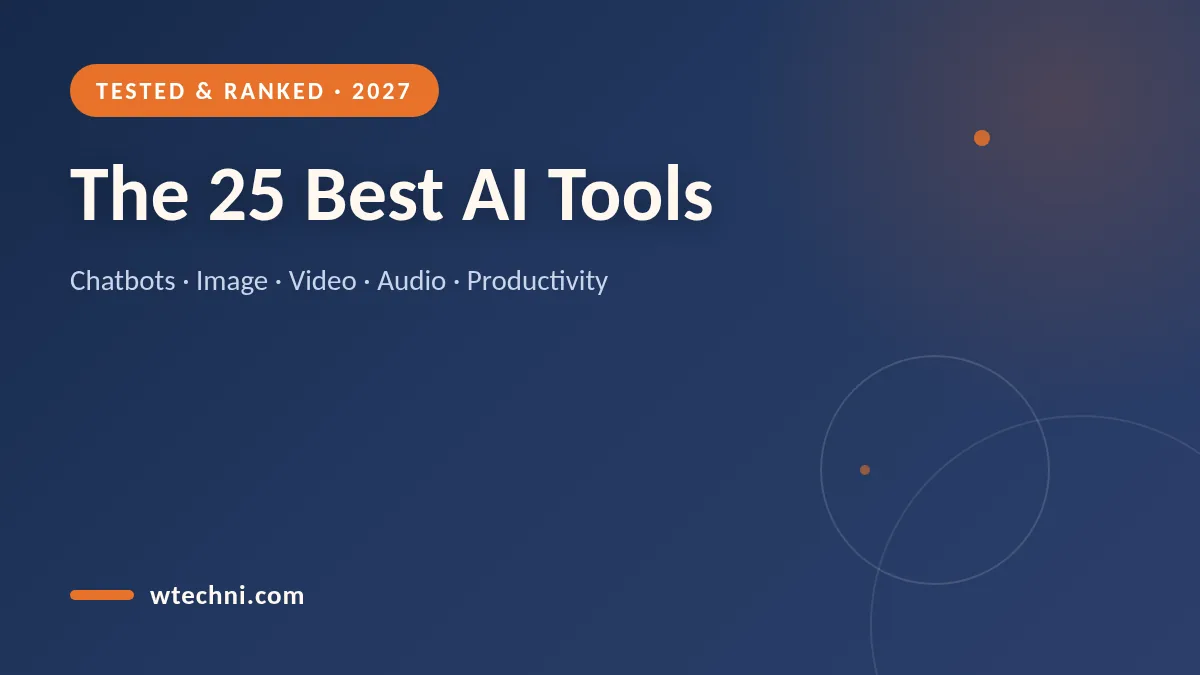
Quick answer: after testing more than 40 AI apps across writing, image generation, video, audio, and productivity, the best AI tools in 2027 are ChatGPT (best overall), Canva Magic Studio (best for design), Notion AI (best for notes and docs), ElevenLabs (best for voice), and Runway (best for AI video). Most of these have a genuinely usable free plan, so you can try every tool on this list without spending a dollar.
We keep this guide updated every month, and the last full refresh was in October 2026. Pricing and free-plan limits change often in the AI space, so each entry below notes what the free plan includes and what the paid tier actually unlocks. If a tool stops being worth it, we drop it — no pay-to-play placements here.
How We Test AI Tools
Every tool in this ranking was used for real work, not a five-minute demo. For writing tools, we drafted actual blog posts, emails, and reports and compared output quality against the same prompts. For image and video generators, we ran identical prompts to judge realism, text rendering, and speed. For productivity tools, we integrated them into a real workflow for at least two weeks.
We also track three things most reviews ignore. First, total cost: many AI tools quietly moved from lifetime deals to monthly subscriptions, and the real price is the annual commitment. Second, free-plan generosity: a tool that gives 5 free credits a month is a demo, not a free plan. Third, exit friction: how easy it is to cancel and get a refund — we have published step-by-step cancel guides for the biggest subscriptions so you are never locked in.
The 25 Best AI Tools in 2027, by Category
Best AI Chatbots & Assistants
1. ChatGPT (OpenAI) — Still the default recommendation for most people. The free plan now includes GPT-class reasoning, web search, limited image generation, file uploads, and voice mode, which is remarkable for $0. The $20 Plus plan adds priority access, higher limits, and the newest models first. If you only try one AI tool, make it this one — start with our guide to using ChatGPT for free, then read our honest verdict on whether ChatGPT Plus is worth the money.
2. Claude (Anthropic) — The best chatbot for long documents. Claude handles 100+ page PDFs without losing the thread, and its writing style is calmer and more natural than most rivals. The free plan has usage caps that reset, and the Pro plan ($20/month) doubles the limits and unlocks priority during peak hours. Best for analysts, lawyers, students, and anyone who works with long text.
3. Google Gemini — The best free chatbot if you live in Gmail and Google Drive. Gemini answers from Google Search, reads your Docs with permission, and the free tier is the most generous of the big three. The paid Google AI plans bundle extra Drive storage, which softens the price. Best for students and Android users who want one assistant across their whole Google account.
4. Microsoft Copilot — Best for Office users. Copilot is built into Word, Excel, Outlook, and Windows 11, so it can summarize emails, draft documents, and analyze spreadsheets where you already work. The free chatbot at copilot.microsoft.com is strong, but the real value is the Microsoft 365 integration for workplaces. Best for Office households and businesses already paying for Microsoft 365.
5. Perplexity AI — The best research assistant. Instead of a list of blue links, Perplexity answers questions with cited sources you can verify in one click. The free plan covers everyday research; the Pro plan ($20/month) switches to stronger models and unlimited Pro searches. Best for fact-checking, market research, and homework where you must cite sources.
Best AI Writing Tools
6. Grammarly (Free & Pro) — More than a spellchecker now: Grammarly's AI rewrites entire paragraphs, adjusts tone, and drafts replies inside Gmail and Word. The free plan still covers correctness, which is enough for most people; Pro adds the full rewriting engine. Best for professionals who write email all day. If the subscription has done its job, our guide to canceling Grammarly Premium takes under two minutes.
7. Jasper — The most complete marketing copy platform. Jasper ships brand-voice training, 50+ templates for ads and landing pages, and team workflows. It is priced for businesses ($39+/month), so freelancers and casual users should start with ChatGPT. Best for marketing teams that need consistent output from multiple writers.
8. Notion AI — The best writing assistant because it lives where your notes already are. Notion AI summarizes meeting notes, drafts docs from your existing pages, and translates, all inside your workspace. It is an add-on to Notion's plans, and the monthly fee undercuts standalone writers. Best for Notion users who want AI without another app.
9. QuillBot — The best paraphrasing and summarizing tool for students. The free plan covers the core paraphraser with limits, and Premium unlocks unlimited rewrites, a plagiarism checker, and a citation generator. Best for essays and research summaries where you need to rephrase sources cleanly.
Best AI Image Generators
10. Midjourney — Still the quality king for artistic images. Version 7 produces the most convincing lighting, texture, and composition of any consumer generator. It is subscription-only (from $10/month) with no meaningful free tier, so casual users should try cheaper options first. Best for designers, marketers, and anyone who wants gallery-grade visuals. Our full comparison of the best AI image generators has tested prompts and cheaper alternatives.
11. Ideogram — The best free image generator for text in images. Logos, posters, and thumbnails with readable words are Ideogram's superpower — something Midjourney still struggles with. The free plan gives daily credits; paid plans add speed and privacy. Best for social media graphics that need real text.
12. Canva Magic Media — The best bundled image generator. It is built into Canva, so you can generate an image and immediately drop it into a presentation, thumbnail, or Instagram post without switching apps. Free users get a generous monthly allowance; Canva Pro multiplies it and adds Magic Edit and background remover. Best for non-designers who want one tool for everything visual.
13. Adobe Firefly — The safest choice for commercial work. Firefly is trained on Adobe Stock and licensed content, so outputs are designed to be commercially safe, and it integrates into Photoshop's generative fill. Credits come with Creative Cloud plans. Best for agencies and businesses that need legal clarity on AI images.
14. Leonardo.ai — The best free-tier image generator for daily use. Leonardo hands out 150 fast tokens every day, enough for dozens of generations, with fine control over styles and models. Paid plans add speed and private generations. Best for hobbyists who generate images every day and hate paywalls.
Best AI Video & Animation Tools
15. Runway — The most complete AI video suite. Text-to-video, image-to-video, green screen removal without a green screen, and inpainting all live in one browser app. The free plan is a taste; paid plans start around $15/month. Best for creators producing short-form video where every effect used to take an editor.
16. CapCut — The best free AI video editor. Auto-captions, background removal, script-to-video, and text-to-speech are all included without a subscription, which is why it dominates TikTok and YouTube Shorts workflows. Some advanced features sit behind the Pro tier, but most creators never need it.
17. Descript — The best AI tool for podcast and talking-head video editing. Descript transcribes your recording, then lets you edit the video by editing the text — delete a sentence, and the cut happens. Studio Sound cleans up any cheap microphone. The free plan covers an hour of transcription monthly. Best for podcasters and course creators.
18. HeyGen — The best AI avatar video generator. Type a script, pick an avatar, and get a presenter video with convincing lip-sync in 40+ languages. It is the fastest way to localize training videos or produce faceless YouTube content. Paid plans start around $29/month; best for businesses scaling video without a studio.
Best AI Audio & Voice Tools
19. ElevenLabs — The best AI voice generator, full stop. Voices are convincingly human in blind tests, voice cloning needs only a minute of sample audio, and dubbing handles 30+ languages. The free plan gives 10,000 characters a month, enough to test properly. Best for audiobooks, video narration, and localization.
20. Suno — The best AI music generator. Describe a song — genre, mood, even lyrics — and Suno returns a full track with vocals that genuinely sounds like radio. The free plan allows non-commercial daily songs; paid plans unlock commercial rights. Best for creators who need background music without licensing headaches.
21. Adobe Podcast (Enhance Speech) — The best free audio cleanup. Upload any voice recording and the free Enhance tool removes echo, noise, and tinny mic quality, making a $20 mic sound like a studio. There is nothing to install. Best for podcasters and meeting recordings on a budget.
Best AI Productivity & Meeting Tools
22. Zapier — The best AI automation hub. Zapier connects 7,000+ apps, and its AI steps can summarize, classify, and draft inside any workflow — for example, auto-drafting an email reply whenever a form arrives. The free plan covers 100 tasks a month. Best for small businesses that want AI working behind the scenes, not in a chat window.
23. Otter.ai — The best AI meeting note-taker for Zoom, Teams, and Meet. Otter joins calls, transcribes in real time, tags action items, and produces a searchable summary minutes after you hang up. The free plan gives 300 monthly transcription minutes. Best for anyone in back-to-back meetings.
24. Gamma — The best AI presentation maker. Paste an outline or a document, and Gamma designs a full deck — layout, images, and structure — that you can refine in the browser. The free tier includes limited credits; paid plans remove watermarks and raise limits. Best for students and consultants who make decks weekly.
25. Fathom — The best free AI meeting recorder. Otter's closest rival, Fathom's free plan is unusually generous: unlimited recordings, AI summaries, and highlight tagging, with paid plans adding team features. Best for solo professionals who want meeting notes without another subscription.
Best AI Tools: Quick Comparison Table
| Tool | Best For | Free Plan? | Paid From |
|---|---|---|---|
| ChatGPT | Overall assistant | Yes, generous | $20/mo |
| Claude | Long documents | Yes, capped | $20/mo |
| Gemini | Google users | Yes, most generous | ~$20/mo |
| Perplexity | Cited research | Yes | $20/mo |
| Grammarly | Everyday writing | Yes | ~$12/mo |
| Midjourney | Best image quality | No | $10/mo |
| Ideogram | Text in images | Yes, daily credits | ~$8/mo |
| Canva Magic Media | Design + AI combo | Yes | ~$15/mo |
| Runway | AI video effects | Trial credits | $15/mo |
| CapCut | Free video editing | Yes, most features | ~$10/mo |
| ElevenLabs | AI voices | 10k chars/mo | $5/mo |
| Otter.ai | Meeting notes | 300 min/mo | ~$17/mo |
Pricing above is the typical published monthly rate as of our October 2026 refresh — check each vendor's page before subscribing, because AI pricing moves fast. Black Friday is when these numbers drop hardest; our Black Friday SaaS deals tracker lists every verified AI discount in one place.
Free vs Paid: When Is an Upgrade Actually Worth It?
The uncomfortable truth: most people can run on free plans for 80 percent of tasks. Upgrade when you hit a wall, not because a feature list looks shiny. Here are the three upgrade rules that have saved us hundreds of dollars. First, upgrade when limits break your workday — if you hit ChatGPT's free caps daily, Plus pays for itself in saved hours. Second, upgrade when output quality directly earns money — a freelancer billing on delivered work should absolutely pay for the best model. Third, upgrade for one tool at a time, test it for a month, and set a calendar reminder to review whether it earned its fee.
And before any paid subscription, read the exit signs. We maintain exact cancel guides for the biggest AI and SaaS subscriptions — ChatGPT Plus, Canva Pro, Grammarly, Adobe, and NordVPN — because knowing how to leave is part of choosing well.
How to Choose the Right AI Tool for You
Match the tool to the bottleneck, not the hype. If writing eats your week, start with ChatGPT free plus Grammarly. If visuals are the bottleneck, start with Canva's free tier and graduate to Midjourney only when quality demands it. If meetings bury you, Otter or Fathom will pay for themselves in week one. Students should exploit education discounts — and Black Friday is the single best day of the year to lock annual plans at 30 to 70 percent off.
Finally, resist tool sprawl. One assistant, one image tool, one meeting note-taker covers most people. Every extra subscription is another monthly charge to audit — and another cancel guide to keep bookmarked.