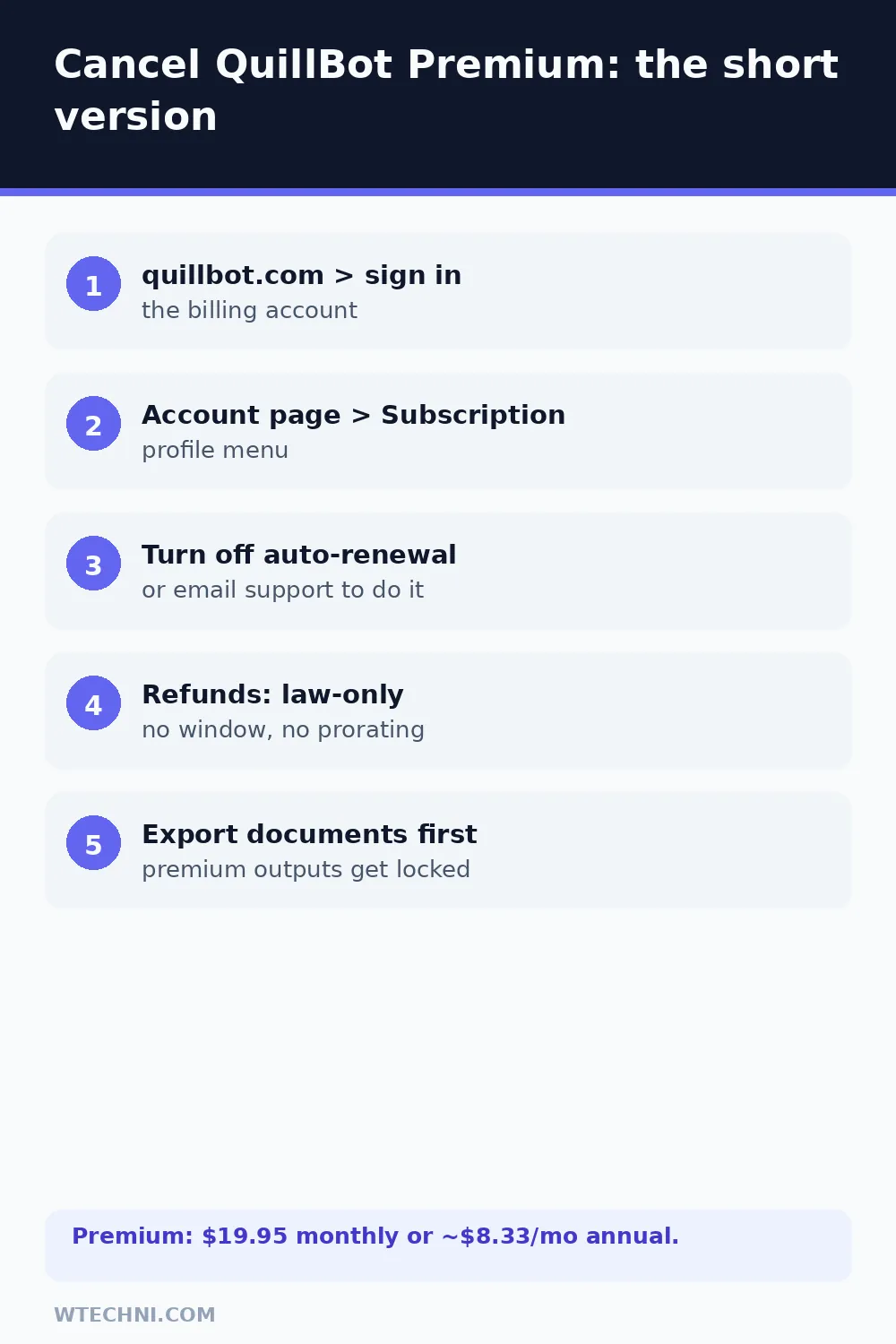
You can cancel QuillBot Premium yourself in about two minutes, and QuillBot frames it as two options: turn off auto-renewal from your account page, or contact support to do it for you. The self-serve path is faster. Sign in at quillbot.com, open your Account page, find the subscription area, and switch off auto-renewal. Premium keeps running until the end of the billing period you paid for, QuillBot's help center says exactly that.
One thing to know before you click: QuillBot's refund policy is among the strictest in this series. Refunds happen only where the law requires them, which means the cancellation decision is effectively about stopping future charges, not recovering past ones. Here's the full picture, including what survives the downgrade.
How to cancel QuillBot Premium step by step
QuillBot's help center (updated June 2026) documents both routes:
- Go to quillbot.com and sign in with the billing account.
- Open your Account page (profile menu).
- Find the Subscription or Premium section.
- Select the option to turn off auto-renewal / cancel the subscription.
- Confirm, and look for a confirmation email as your proof.
If the button misbehaves or the page loops (support threads describe occasional hiccups), the second official route is contacting QuillBot support and asking them to turn off renewal, include the billing email and the last charge date so they can find the account fast.
The law-only refund policy, in practice
QuillBot's help center repeats the same line across two articles (both refreshed in 2026): refunds are issued only if required by law, in accordance with its Terms of Service. There's no good-will window, no trial-conversion grace period, no prorated annual refunds. In practice, that means:
| Your situation | Realistic expectation |
|---|---|
| Standard cancel, mid-period | No refund. Premium runs to the end of the paid period. |
| Forgot to cancel, charged | Policy says law-only; support decides if anything applies. |
| Charged after a confirmed cancel | Billing error. Dispute with the cancellation email as proof. |
| Annual plan, cancelled early | No prorated refund; access runs to the year's end. |
| Store-billed subscription | Apple or Google refund flows decide, per their policies. |
The practical lesson: with a law-only refund policy, the only money you control is the money that hasn't been charged yet. Cancel right after a renewal if you want a full period of value, or before the next billing date if you're done now.
What you keep after the downgrade
Your account, documents, and paraphrase history all remain on the free tier. What changes is capability: paraphrasing reverts to the free modes and character limits, the plagiarism checker goes away, the grammar checker narrows, and Premium-only features like tone detection and the summarizer's higher limits end with the billing period.
If you've been using QuillBot for schoolwork, export anything you might re-reference, the documents stay, but some Premium-generated content becomes locked to the tier that created it. A five-minute export before the period ends saves an awkward resubscribe later.
If you were on a free trial
QuillBot's trials convert to paid billing automatically unless auto-renewal is switched off in time, and with the law-only refund policy, a converted trial is rarely reversible through support. The two-minute play: turn off auto-renewal today even if you're unsure about leaving, because the toggle is reversible and you keep Premium through the trial's paid window. You can always switch it back on from the same account page before the period ends.
Identifying the charge helps too: web subscriptions appear on card statements with a QuillBot descriptor, while app-store purchases appear under Apple.com/bill or Google's descriptor. If a charge doesn't match either pattern, you're not looking at your QuillBot plan at all, and no amount of cancellation will stop it.
Monthly vs annual math before you go
If US$19.95 a month is the pain point but you still want Premium, the annual plan's effective US$8.33 a month is the fix, cancelling isn't the only exit. And if the tool itself isn't earning its keep anymore, your documents export cleanly, and rivals' cancellation flows vary widely: Grammarly's cancellation (it renamed Premium to Pro in 2025) is just as self-serve, while Jasper's cancellation adds a 7-day email refund rule worth knowing.
Frequently asked questions
Can I get a refund when I cancel QuillBot Premium?
QuillBot's own help center is blunt: refunds are issued only if required by law, in line with its Terms of Service. A standard cancellation runs Premium until the end of the billing period with no money back. Exceptions are practical, not policy, billing errors or charges after a confirmed cancellation are worth disputing with support.
What happens to my documents and saved paraphrases when I cancel?
They stay. Your documents, history, and account all survive the drop to the free tier at period end. What changes is the tooling: paraphrase modes narrow to the free ones, the character limit per paraphrase shrinks, the plagiarism checker and tone features go away, and the grammar checker reverts to free limits.
How do I cancel if I subscribed through the mobile app?
QuillBot's mobile subscriptions are handled by Apple or Google, so the store is where you cancel: iPhone Settings, your name, Subscriptions, then QuillBot; or Google Play's Subscriptions screen on Android. The QuillBot website can't cancel a store-billed plan because the store holds the billing relationship.
Does cancelling QuillBot stop access immediately?
No. Turning off auto-renewal keeps every Premium feature until the end of the billing period you paid for, QuillBot's help center states this directly. Only a refund-eligible situation ends access early, and with QuillBot's law-only refund policy, that's rare.
Is the annual plan refundable proportionally if I cancel early?
No. The law-only refund rule applies to annual plans the same as monthly, so an annual plan cancelled mid-year runs to the year's end or simply lapses without prorated money back. If the annual commitment feels risky, monthly at US$19.95 is the flexible option even though it costs more over a year.