
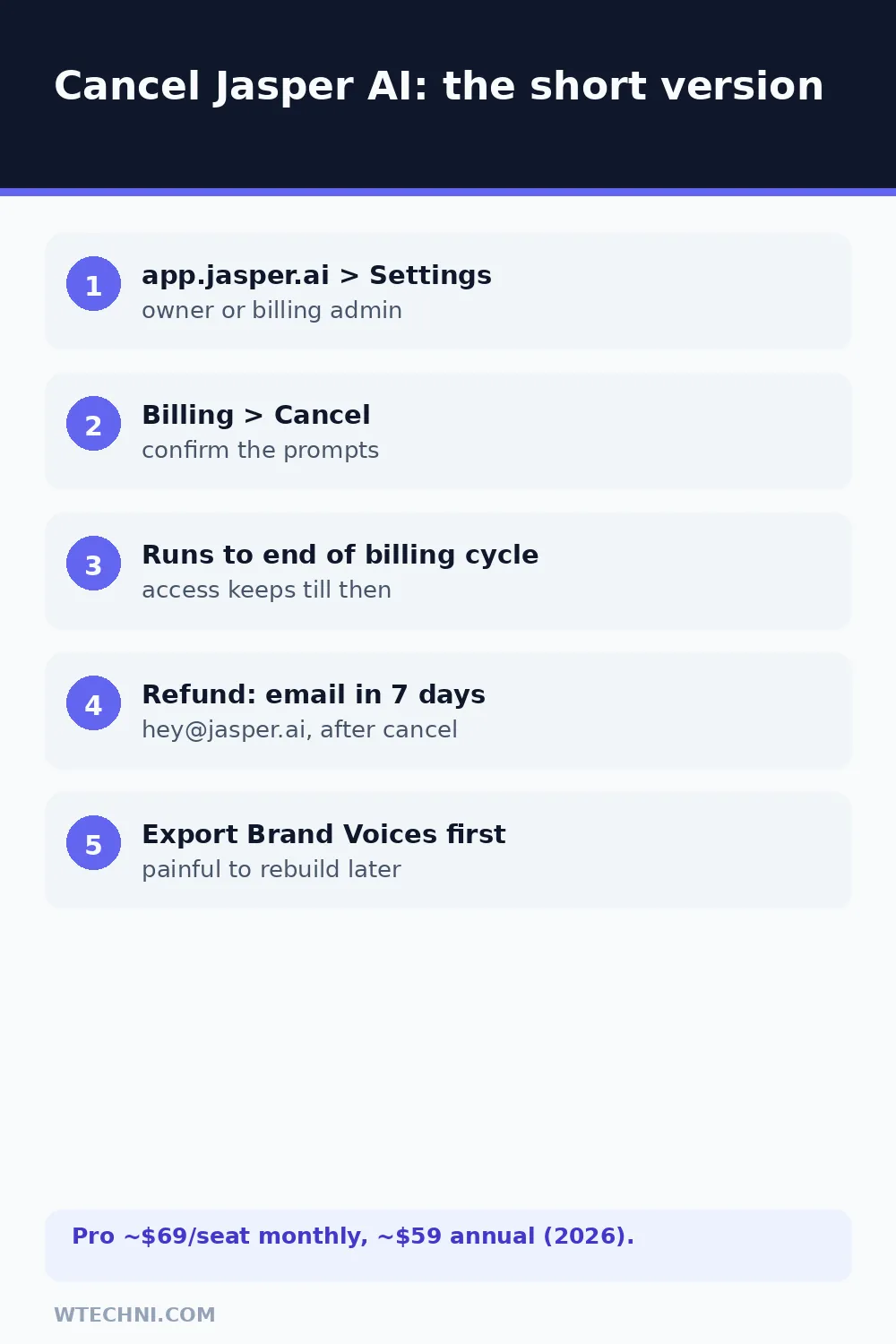
You can cancel Jasper AI yourself in about two minutes from your account settings, and the timing works in your favor: accounts are set to cancel at the end of your billing cycle, so you keep every day you paid for and stop all future charges. Open Jasper, go to your account Settings, find Billing, and select the option to cancel your subscription. Confirm, and note the end date it shows.
The refund story is where Jasper differs from most tools in this series: money back isn't a policy window you click through, it's an email you send within 7 days of the charge, to a specific address, after cancelling. Get the order right and the policy works; skip the email and the terms say no refunds for unused time.
How to cancel Jasper AI step by step
Jasper's help center documents this flow for Pro plans, and it matches what you'll see in the app:
- Sign in at app.jasper.ai with the workspace owner's account.
- Open account Settings, then Billing (or Plan & Billing).
- Select the cancel option for your subscription.
- Work through the retention screens and confirm the cancellation.
- Note the end-of-cycle date Jasper displays, that's your last day of access.
- If you're within 7 days of a charge and want money back, email hey@jasper.ai now (see below).
Two details worth catching. First, only the workspace owner (or billing admin) can cancel, team members can't. Second, Jasper's own cancel article stresses that you should confirm the account is actually set to cancel before emailing about a refund; the email without the cancellation doesn't trigger anything.
Jasper's refund rules, decoded
Jasper's help center and terms align on a three-part structure, and it's stricter than most:
| Your situation | Realistic expectation |
|---|---|
| Cancel, then email within 7 days of the charge | The official refund path. Decided per policy; include charge details. |
| Email after 7 days | Terms say no refunds for unused time; expect a decline. |
| Cancel mid-cycle without a refund request | Access runs to the end of the billing cycle, then stops cleanly. |
| Charged after a confirmed cancellation | Billing error. Strongest case, reply to your cancellation email with receipts. |
| Store-billed mobile subscription | Apple or Google refund flows decide, not hey@jasper.ai. |
Annual subscribers should note the same 7-day clock applies to the annual charge, a US$700-plus annual renewal is exactly the charge worth calendaring a reminder for a week before it lands.
Export before the period ends
Jasper workspaces hold things that are genuinely painful to rebuild: Brand Voice profiles trained on your copy, campaign structures, knowledge-base items, and generated content tuned over months. The account survives cancellation, but the safe play is exporting while every feature is still unlocked, copy out your brand voice descriptions, download key documents, and screenshot campaign structures if exports aren't offered for a given asset type.
Teams should also warn contributors about the end date: nothing kills goodwill like a teammate discovering mid-draft that the workspace went read-only overnight. Keep the cancellation confirmation email too; it's the reference point if any post-cancellation charge ever needs disputing.
One more timing note for teams: seat removals and plan changes apply from the next billing date rather than mid-cycle, so if you're right-sizing a workspace, make the changes just after a renewal to get a full cycle of value from every seat you're paying for. And if there's any chance you'll return within a few months, resubscribing restores your workspace content where it left off, since the account itself persists after cancellation.
Where Jasper fits in a subscription cleanup
If you're consolidating writing tools, the pattern in this cluster varies more than you'd expect. QuillBot's cancellation is a law-only refund policy with a two-minute auto-renew toggle, and Notion's cancellation has real refund windows (3 days monthly, 30 days annual). Jasper's 7-day email rule sits between them, more forgiving than QuillBot, more manual than Notion.
Frequently asked questions
Can I get a refund when I cancel Jasper AI?
Only through the specific channel: Jasper's help center says refunds are not automatic, and you must email hey@jasper.ai within 7 days of the charge to request one. Cancel your account first, then send that email. Outside the 7-day window, Jasper's terms say there are no refunds for unused time.
What happens to my Brand Voices, campaigns and documents when I cancel?
Your workspace content stays in the account through the end of the billing cycle, but plan features lock as the subscription winds down. Export what matters, copy, brand voice guidelines, and campaign assets, before the period ends, because regenerating them on another tool means starting over.
How does Jasper's cancellation timing work?
Accounts are set to cancel at the end of your billing cycle by default, which Jasper's help center states plainly. So cancelling today means you keep access until the paid period closes and are not charged again. There's no mid-cycle cut-off unless a refund is involved, in which case access ends with the refund.
How do I cancel if I subscribed through the mobile app?
Jasper's iOS subscriptions are managed by Apple, so cancel in iPhone Settings (your name, Subscriptions, Jasper) rather than the website. Google Play works the same way on Android. The 7-day refund email applies to direct billing; store refunds follow Apple's or Google's own processes.
Can I downgrade Jasper instead of cancelling?
Jasper's current lineup runs Pro (about US$69 per seat monthly, roughly US$59 on annual billing) and Business (custom). Switching plans is possible from billing settings and applies at the next cycle. If a single seat is the issue, removing a seat beats cancelling the workspace, the rest of the team keeps working.